

Imagine running just one lightweight application on a high-performance server! The server’s full processing power, memory, and resources are massively underutilized. In a traditional setup, adding more tasks would require extra physical servers, increasing both hardware costs and energy consumption. Here comes Server Virtualization!
Server virtualization transforms one physical server into multiple Virtual Machines (VMs), each capable of running tasks independently. It allows multiple VMs to share the same physical infrastructure while remaining isolated, optimizing hardware use and simplifying IT management.
The global virtualization software market is projected to reach USD 223.35 billion by 2029. This growth highlights its critical role in boosting operational efficiency and scalability across IT environments.
Virtualization abstracts computing resources such as storage, CPUs, and networks—enabling efficient resource allocation, enhanced security through isolation, and simplified disaster recovery.
Continue reading to explore server virtualization, its types, benefits, challenges, operations, and its essential role in cloud computing.
What is Server Virtualization?
Server virtualization separates server software from hardware, allowing multiple independent virtual servers with their own Operating Systems (OS) and applications to run on a single physical machine. It forms the foundation of cloud computing, enabling hybrid cloud models and maximizing resource efficiency.
Separation of Server Software from Physical Hardware
Server virtualization creates a partitioned environment where server software operates independently of the hardware. This separation allows flexible management and optimized use of resources while supporting multiple operating systems and applications on one server.
Creating Multiple Virtual Servers on a Single Physical Server
Through virtualization, a single physical server can host multiple virtual servers, each functioning as an independent system with its own OS and applications. This ensures full utilization of server processing power and improved performance.
Importance and Impact in Cloud Computing and Hybrid Cloud Models
- Allocates resources dynamically across virtual servers.
- Supports scalability and flexibility in cloud infrastructures.
- Enhances workload adaptability while optimizing resource use.
- Improves reliability and reduces operational costs.
- Drives agility in hybrid and public cloud environments.
Server virtualization eliminates the limitations of physical servers—such as space, power, and maintenance—by virtualizing hardware functionality into software-managed environments.
- VM Creation and Management: Enables creation and control of multiple virtual machines on one server.
- Dynamic Provisioning: Resources can be scaled up or down based on demand.
- Cost Efficiency: Reduces hardware expenses by maximizing physical resource use.
- Increased Flexibility: Supports multiple operating systems and applications concurrently.
Types of Server Virtualization
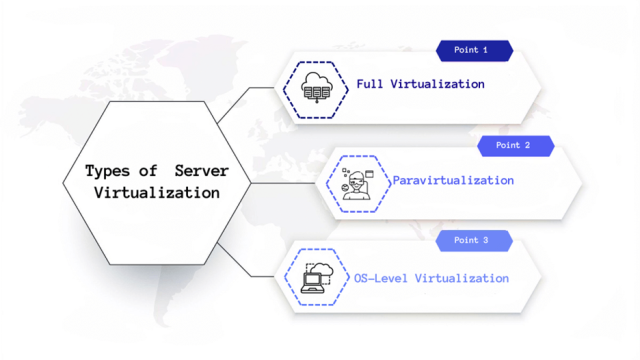
The host operating system supports multiple guest operating systems, each isolated and unaware of others. There are three major types of server virtualization:
1. Full Virtualization
- Complete Hardware Emulation: A hypervisor fully emulates hardware, allowing any OS to run.
- Isolation: Each VM runs independently, ensuring no interference.
- Broad Compatibility: Supports various operating systems and applications.
2. Paravirtualization
- Efficient Resource Sharing: Guest OS interacts with the hypervisor directly for optimized performance.
- Reduced Overhead: Less emulation results in faster execution.
- Enhanced Performance: Modified guest OSes achieve higher efficiency than full virtualization.
3. OS-Level Virtualization
- Resource Efficiency: No hypervisor is needed, reducing overhead.
- Shared OS Kernel: All containers share one kernel, simplifying management.
- Quick Deployment: Containers deploy rapidly using shared OS resources.
Virtual Servers and Their Operation
A virtual server is an isolated instance with its own OS and applications running on a shared physical server. Using a hypervisor, it efficiently shares hardware resources while maintaining independent operation.
Characteristics of Virtual Servers
- Increased Security: Isolated guest programs prevent cross-interference and enhance protection.
- Managed Execution: Optimizes performance through controlled resource allocation.
- Resource Sharing: Improves hardware efficiency by distributing resources.
- Aggregation: Combines resources from multiple hosts for scalability.
- Emulation: Simulates hardware to run incompatible programs.
- Isolation: Prevents issues in one VM from affecting others.
- Portability: Easily migrate VMs across servers.
Understanding Host and Guest Operating Systems
| Aspect | Host Operating System | Guest Operating System |
|---|---|---|
| Definition | Runs directly on physical hardware and manages all system resources. | Operates within a virtual machine, separate from physical hardware. |
| Operating Environment | Controls all virtual machines from the physical server. | Functions independently inside a VM. |
| Number of Instances | Typically one per physical server. | Multiple instances under a single host OS. |
| Resource Management | Allocates physical resources to VMs. | Uses virtual resources from the hypervisor. |
| Hardware Interaction | Directly interacts with server hardware. | Interacts with virtualized hardware via hypervisor. |
| Primary Role | Manages virtualization and resource distribution. | Runs specific applications and workloads. |
Role and Functions of the Hypervisor
- Resource Allocation: Assigns CPU, memory, and storage to each VM.
- Isolation: Ensures secure, independent VM operations.
- Emulation: Provides virtual hardware for OS compatibility.
- Live Migration: Enables seamless VM transfer across hosts.
- Backup and Recovery: Facilitates snapshots and system restoration.
Benefits of Server Virtualization
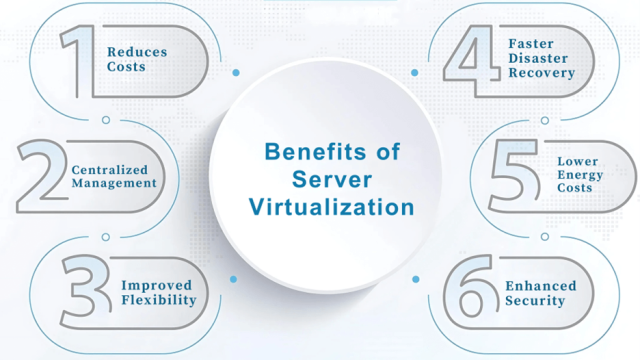
- Cost Reduction: Fewer physical servers reduce hardware expenses.
- Centralized Management: Simplifies updates, maintenance, and deployment.
- Flexibility: Enables testing and development without affecting production.
- Disaster Recovery: Allows quick system restoration and failover.
- Energy Efficiency: Fewer servers lower energy consumption.
- Enhanced Security: Strong isolation minimizes cross-VM threats.
Challenges in Server Virtualization
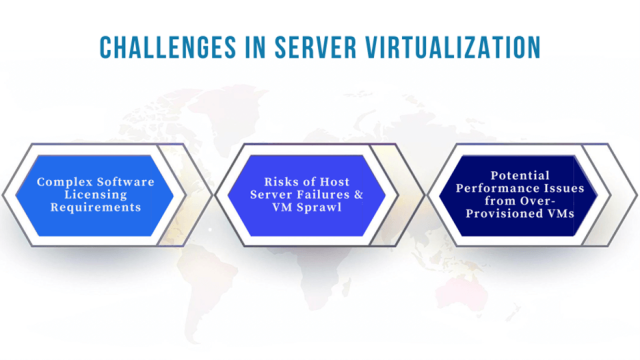
- Complex Licensing: Tracking licenses for multiple VMs can be challenging.
- Host Server Failure: A single failure can impact all hosted VMs.
- Performance Issues: Overloading VMs may degrade server performance.
Steps to Implement Server Virtualization
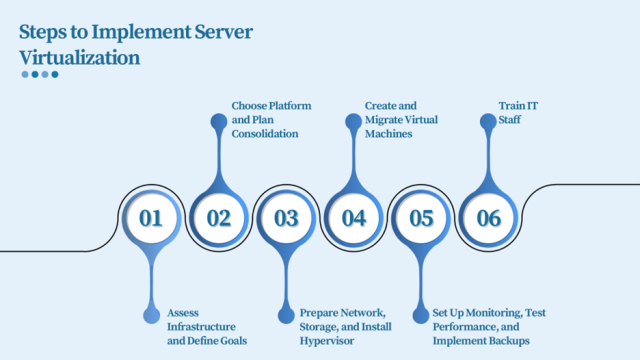
- Assess Infrastructure: Evaluate hardware and set clear goals like cost reduction or scalability.
- Choose Platform: Select a suitable virtualization solution and plan consolidation.
- Prepare Network & Storage: Upgrade infrastructure and install a hypervisor.
- Create and Migrate VMs: Move workloads to virtual machines gradually.
- Set Up Monitoring: Track performance, backups, and optimize resource usage.
- Train IT Staff: Educate your team for maintenance and optimization.
Use Cases of Server Virtualization
- Data Center Consolidation: Reduce physical hardware and energy costs.
- Testing Environments: Quickly spin up test environments for development.
- Virtual Desktop Infrastructure (VDI): Centralize desktop management for improved access control.
- Backup and Disaster Recovery: Simplify restoration and minimize downtime.
- Cloud Computing: Forms the backbone of cloud infrastructure for scalability and automation.
Final Thoughts
Server virtualization has revolutionized IT by improving efficiency, reducing costs, and enhancing flexibility. As it evolves, technologies such as AI, ML, serverless computing, and network virtualization will continue shaping modern infrastructures.
Calsoft, one of the earliest contributors to virtualization technologies, has been implementing innovative virtualization solutions in customer projects for over two decades, driving maximum business benefits.